01
Highlight directly on the page
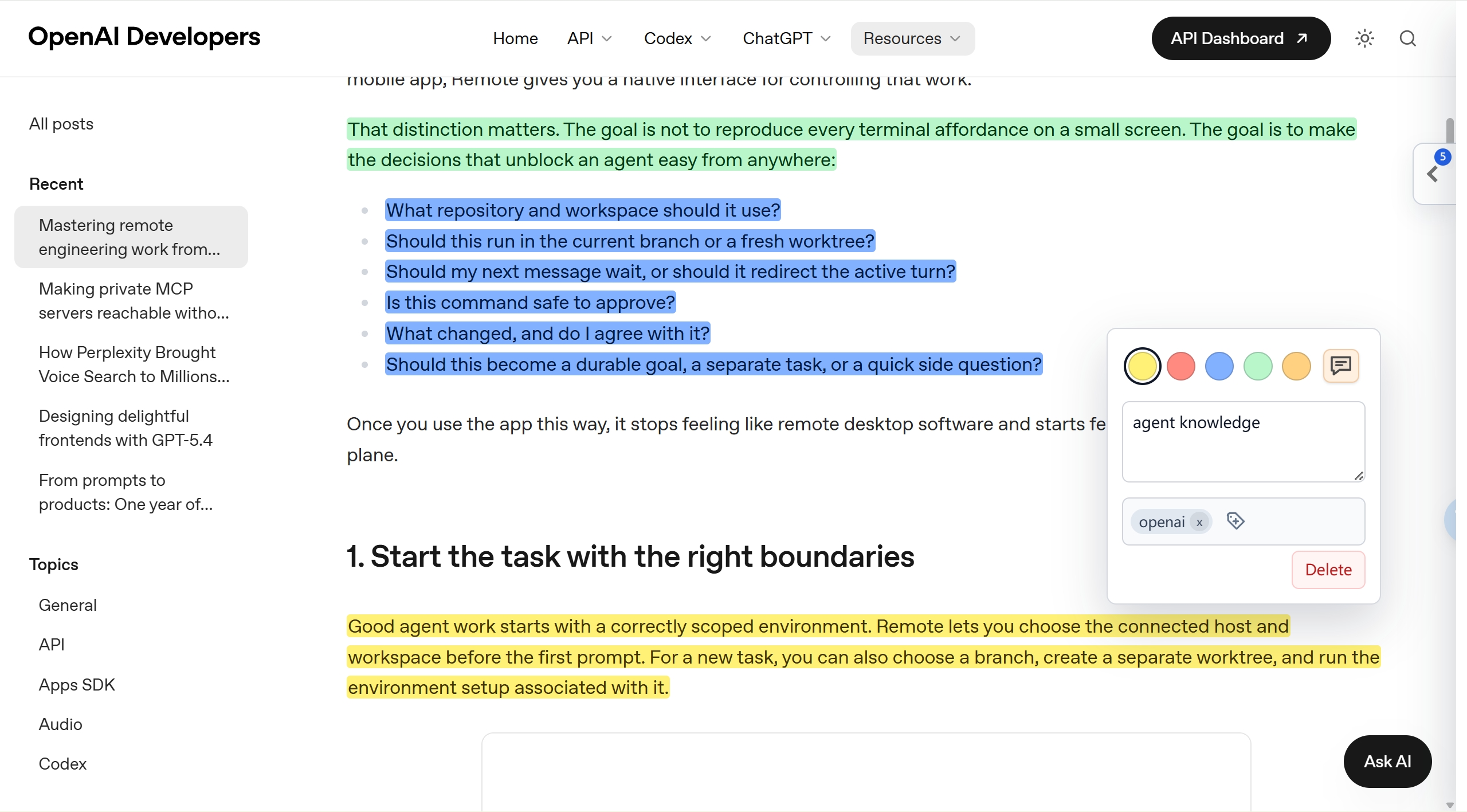
Select web text and save it in yellow, red, blue, green, or orange. Reopen the page later and the extension restores matching highlights.
 GlowNote - Web Highlighter & Annotator
Chrome MV3 reading workspace
Turn web reading into a structured note system: highlight passages, attach notes and tags, manage everything by source article, then export or sync when you need it.
Capture the exact sentence that matters, then keep the context, source, tags, and note attached.
Highlights stay useful because they retain source, context, notes, tags, and export paths instead of becoming isolated snippets.
Select web text and save it in yellow, red, blue, green, or orange. Reopen the page later and the extension restores matching highlights.
Attach quick thoughts, labels, and reading context while the passage is still fresh, then refine them later from the manager.
Review saved highlights in a dedicated manager with article grouping, search, filters, starring, editing, deletion, and source links.
Download article-grouped Markdown files or a JSON archive when you want to move notes into another writing or knowledge workflow.
Markdown note preview
Notes render common Markdown syntax including emphasis, strikethrough, links, images, quotes, nested lists, and task lists—so a quick annotation can stay readable when it grows.
**Key idea**

- Save the source
- Add a useful tag
- [x] Sync to Notion

> Keep the context.
Key idea
Keep the context.
Actual product screenshots—no staged dashboard. Capture ideas where you find them, then let the source, note, and tags travel together.
01 / Highlight & annotate
Use multiple highlight colors, attach a note, and tag the idea in the same floating editor. The annotation stays anchored to its original source.
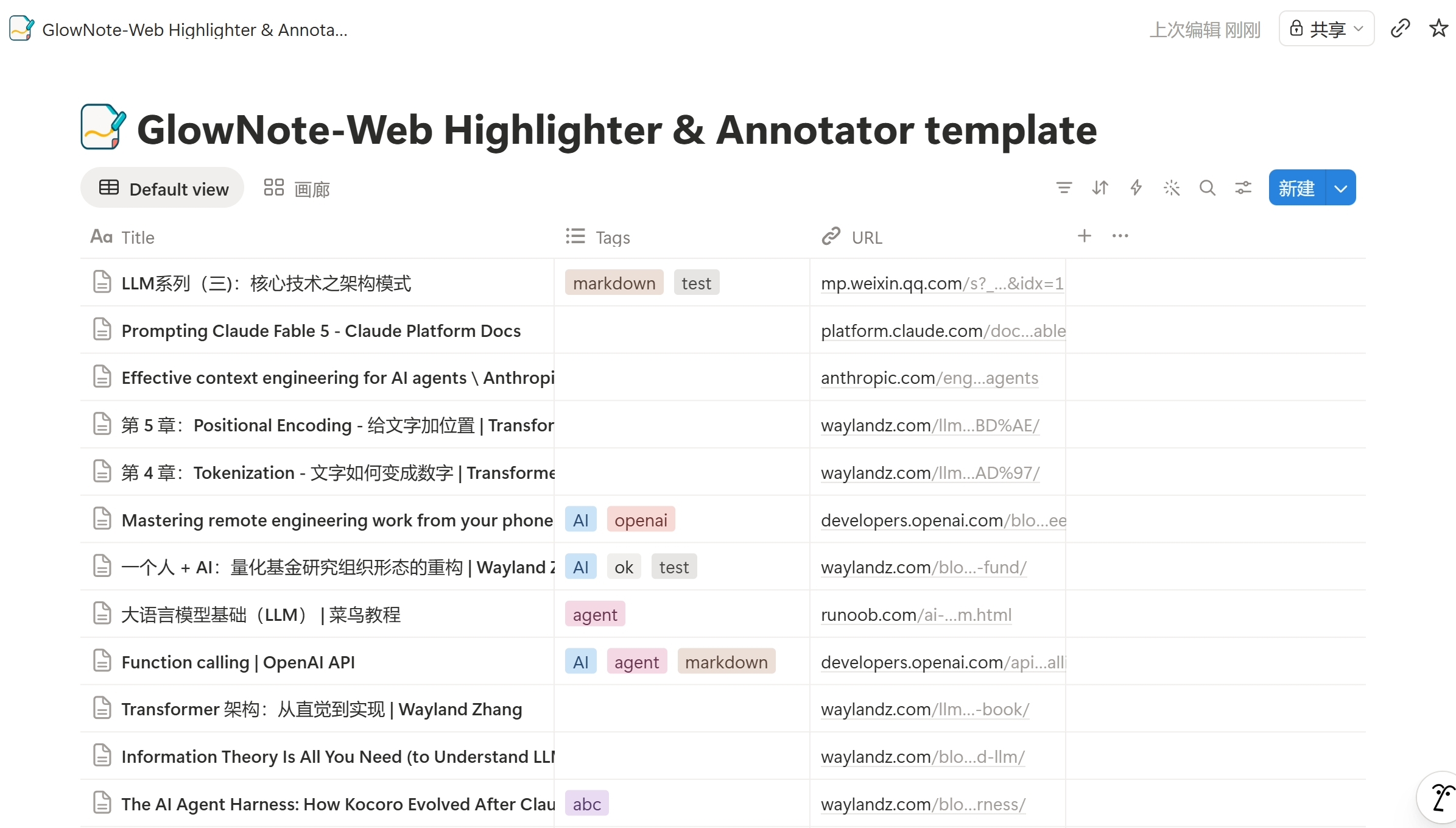
02 / Sync to Notion
Sync source articles into your own Notion database, with titles, tags, URLs, and page content ready for retrieval and reuse.
The extension is designed around the recurring steps of serious web reading.
Save the part you actually need and preserve the page title and URL with it.
Add notes and tags so the highlight can be searched and understood later.
Export Markdown or JSON, or sync to destinations that you configure yourself.
GlowNote - Web Highlighter & Annotator works locally by default. When you want a cross-device or knowledge-base workflow, connect your own WebDAV endpoint or Notion database from the options page.
The extension does not run a developer-controlled server for your highlights. Saved passages, notes, tags, page titles, and URLs stay in your browser unless you enable a sync destination or export them.
Use GlowNote - Web Highlighter & Annotator as a lightweight bridge between reading in Chrome and writing in your own notes system.